> For the complete documentation index, see [llms.txt](https://docs.udara360.io/llms.txt). Markdown versions of documentation pages are available by appending `.md` to page URLs; this page is available as [Markdown](https://docs.udara360.io/core-features/lms/approvals/my-approvals.md).
# My Approvals
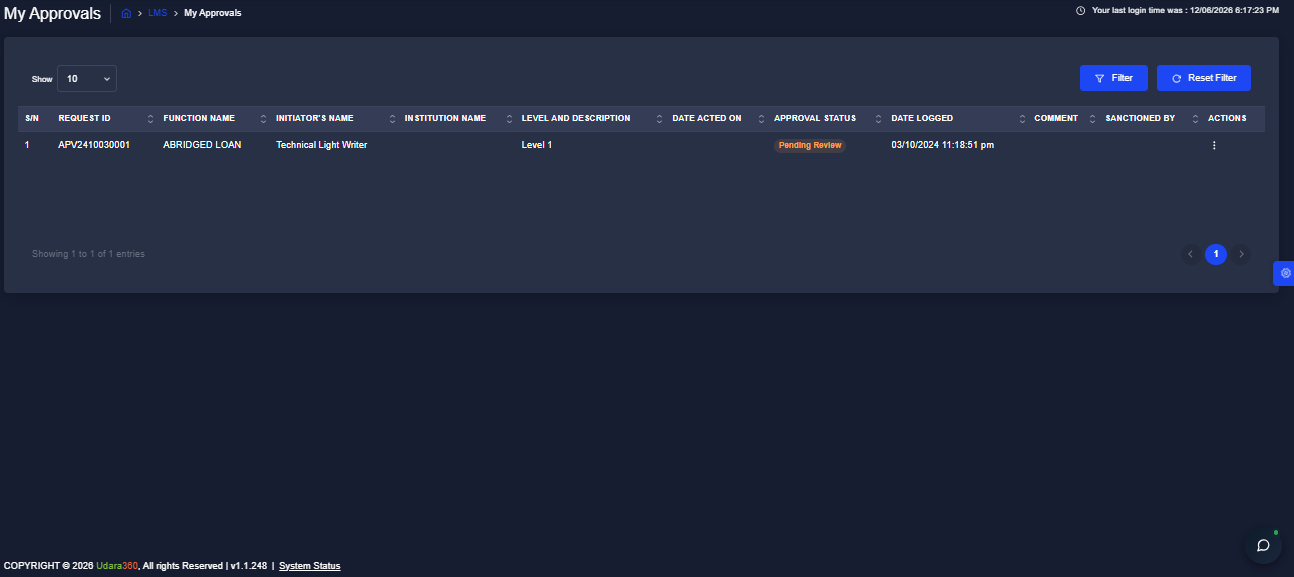
The My Approvals page gives you a view of all approval requests that have been routed to you for action within the LMS in Udara360. Use this page to track the approvals you have acted on and monitor their current status. This guide will walk you through accessing and filtering your approval records.
## Accessing My Approvals
1. Log into the application using your credentials.
2. From the dashboard, navigate to **LMS** in the side menu.
3. Expand **Approvals** and Select **My Approvals** from the dropdown list
## Filtering the Records
1. Click the Filter button at the top right of the page
2. Enter your preferred filter criteria
3. Click Apply to display the filtered results
> :pushpin:Click Reset Filter to clear all applied filters and return to the full list.