> For the complete documentation index, see [llms.txt](https://docs.udara360.io/llms.txt). Markdown versions of documentation pages are available by appending `.md` to page URLs; this page is available as [Markdown](https://docs.udara360.io/core-features/e-channels/cards/issue-card-providus.md).
# Issue Card (Providus)
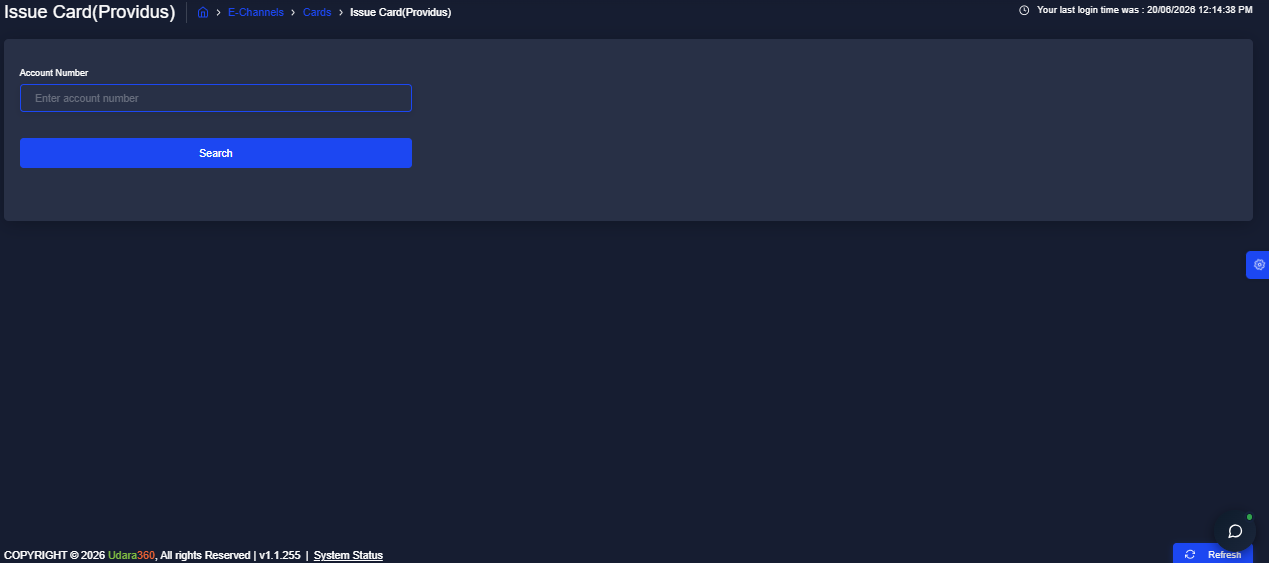
The Issue Card (Providus) page allows you to issue cards linked specifically to Providus-processed accounts within Udara360. The flow here is simpler than the standard Issue Card page, since Providus cards are issued by account number alone, without needing to specify a card request type. This guide will walk you through issuing a Providus card and managing linked cards on this page.
## Accessing Issue Card (Providus)
1. Log into the application using your credentials.
2. From the dashboard, navigate to **E-Channels** in the side menu.
3. Expand **Cards** and Select **Issue Card (Providus)** from the dropdown list
> :pushpin:Unlike Issue Card, this page does not display a Card Request Type field, only the Account Number is required to search and issue a Providus card.
## Issuing a Card
1. Click the **Issue Card** button at the top left of the page
2. Enter the **Account Number**
3. Click **Search** to find the account and proceed with issuance
## Managing a Linked Card
1. In the Actions column, click the three vertical dots next to the card you want to action
2. Select **Unlink Card** to remove the card link, or
3. **Generate PIN** to generate a new PIN for the card
## Filtering the Records
1. Click the **Filter** button at the top right of the page
2. Enter your preferred filter criteria
3. Click **Apply** to display the filtered results
> :pushpin:Click **Reset Filter** to clear all applied filters and return to the full list.